
Run my business
Neoo Start, Business or MSP
Customers, quotes, invoices, projects, support and team in one workspace. Choose the plan that fits your business.
Try Neoo
Run your business with Neoo, or develop your ideas with Neoo Forge. Each path has its own self-service entry.
Run my business
Customers, quotes, invoices, projects, support and team in one workspace. Choose the plan that fits your business.
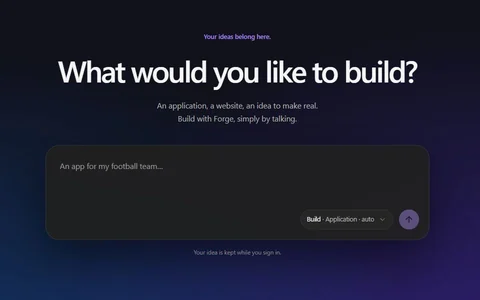
Develop your ideas
An application, a portal or a website: describe your idea and Forge builds a first version, on its own or alongside Neoo.
Neoo Forge: free up to 10 credits a month, renewed monthly.
Forge is also used to develop private modules in Neoo Business and Neoo MSP.
Get started with Neoo · 3-min film
A fictional accounting firm creates its workspace on start.neoo.io, fits it to the way it works and handles its first client request. You will know what to prepare and what comes next, step by step.
Before you start
Signing up takes a few minutes. Keep these three things at hand and you will go straight through to your workspace.
Its name, VAT number or website. Neoo finds the public details; if your company is not found, you continue with its name and fill in the rest by hand.
This is where you receive the link to open your workspace. You also choose the workspace address, named after your company.
Saved securely by Stripe. Nothing is charged today.
Signing up on start.neoo.io
These are the screens of start.neoo.io, filled in with the details of the film’s fictional firm. Each step links to its part of the film.
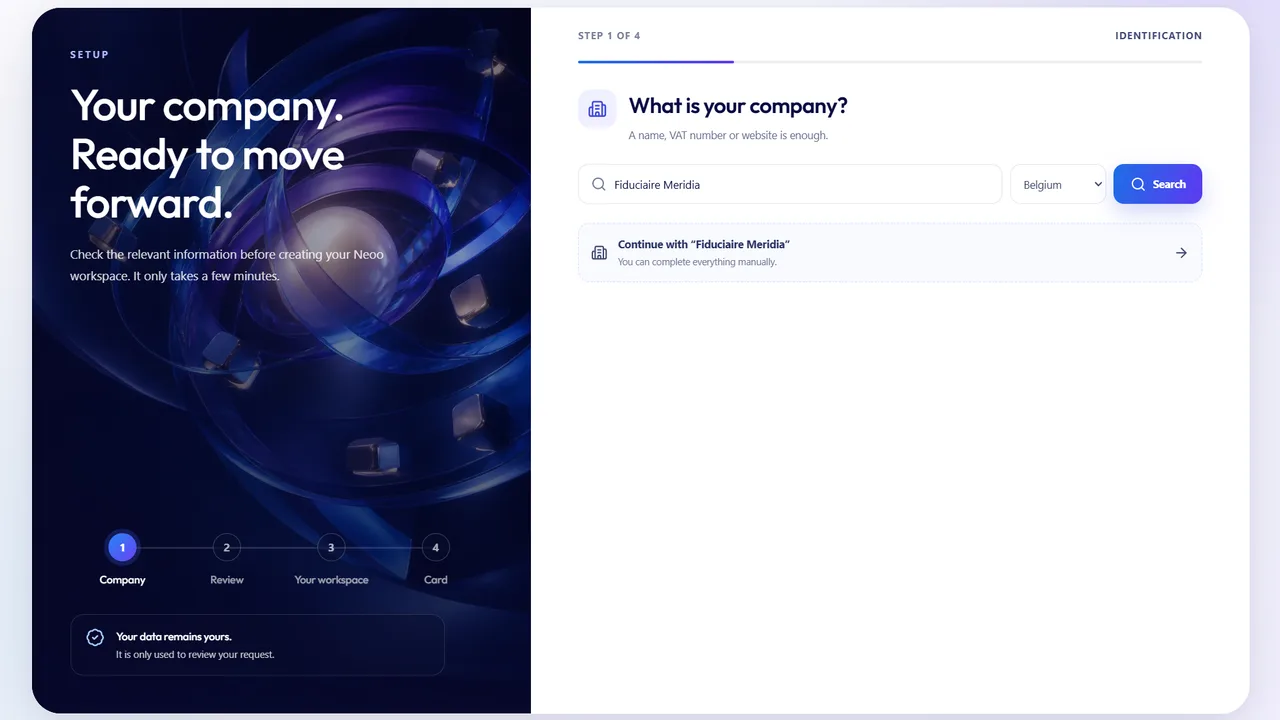
1Step 1 of 4
Enter a name, a VAT number or a website, choose the country, then select your company in the results.
Watch in the film0:10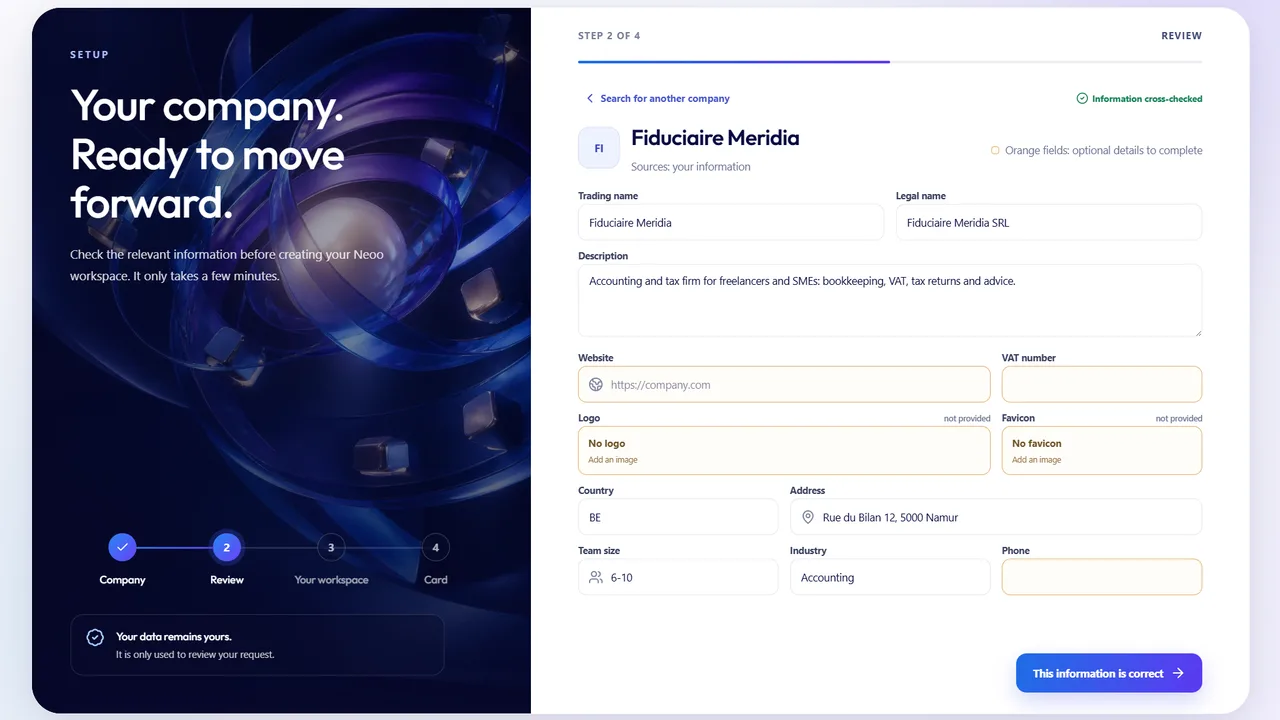
2Step 2 of 4
Legal name, description, address, team size and industry: fill in what is missing, then confirm.
Watch in the film0:23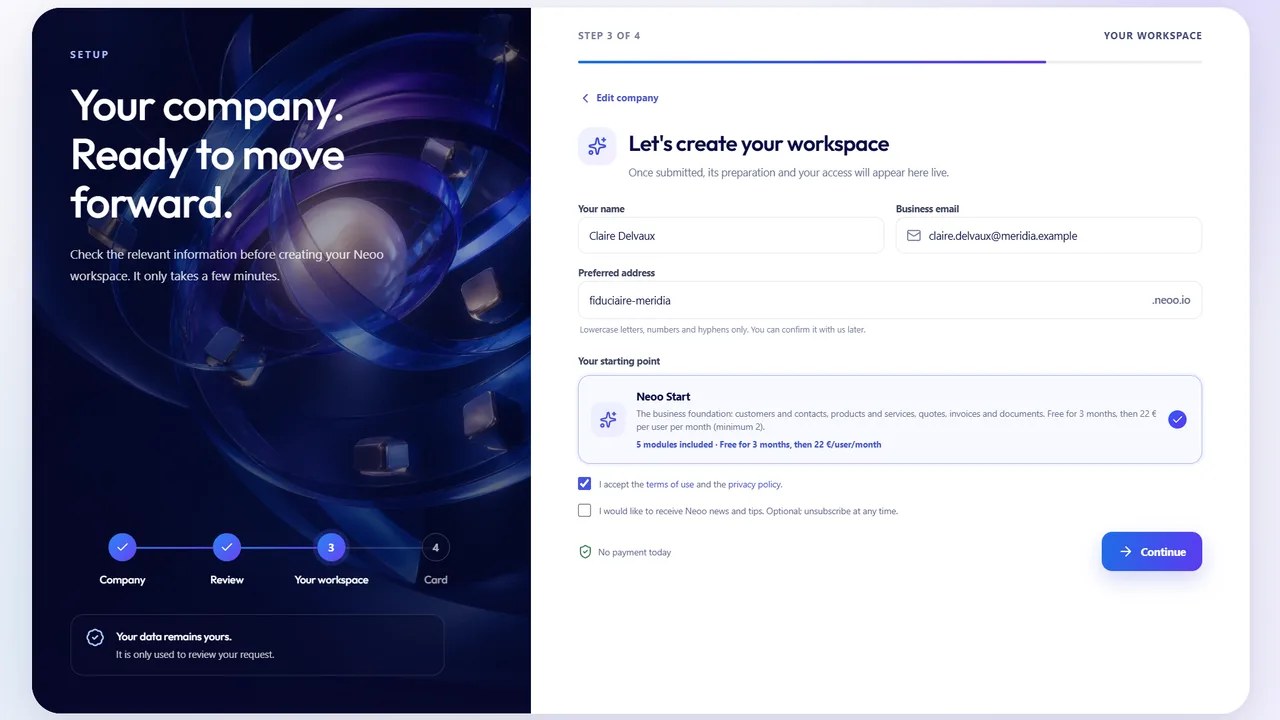
3Step 3 of 4
Your name, your business email and the workspace address. The starting point, Neoo Start, and its terms are shown here, before the card.
Watch in the film0:36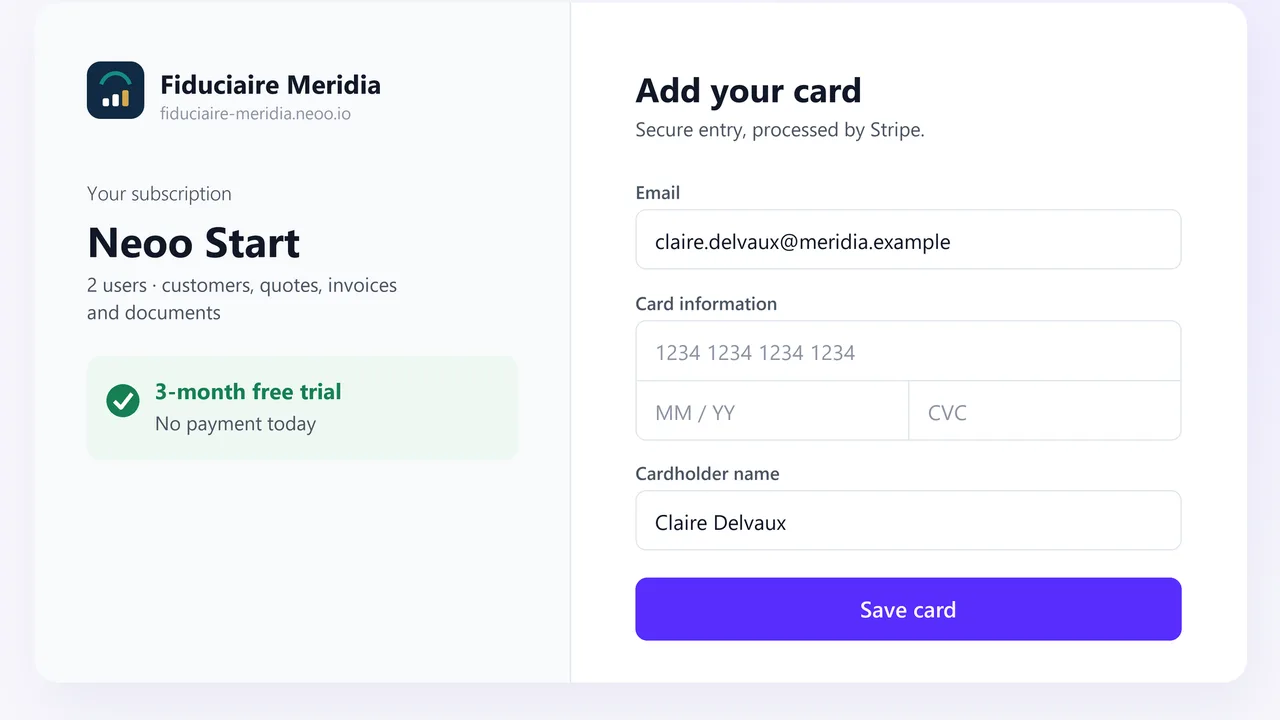
4Step 4 of 4
A card saved with Stripe, with nothing charged today. You then receive the link to open your workspace by email.
Watch in the film0:52Then, in your workspace
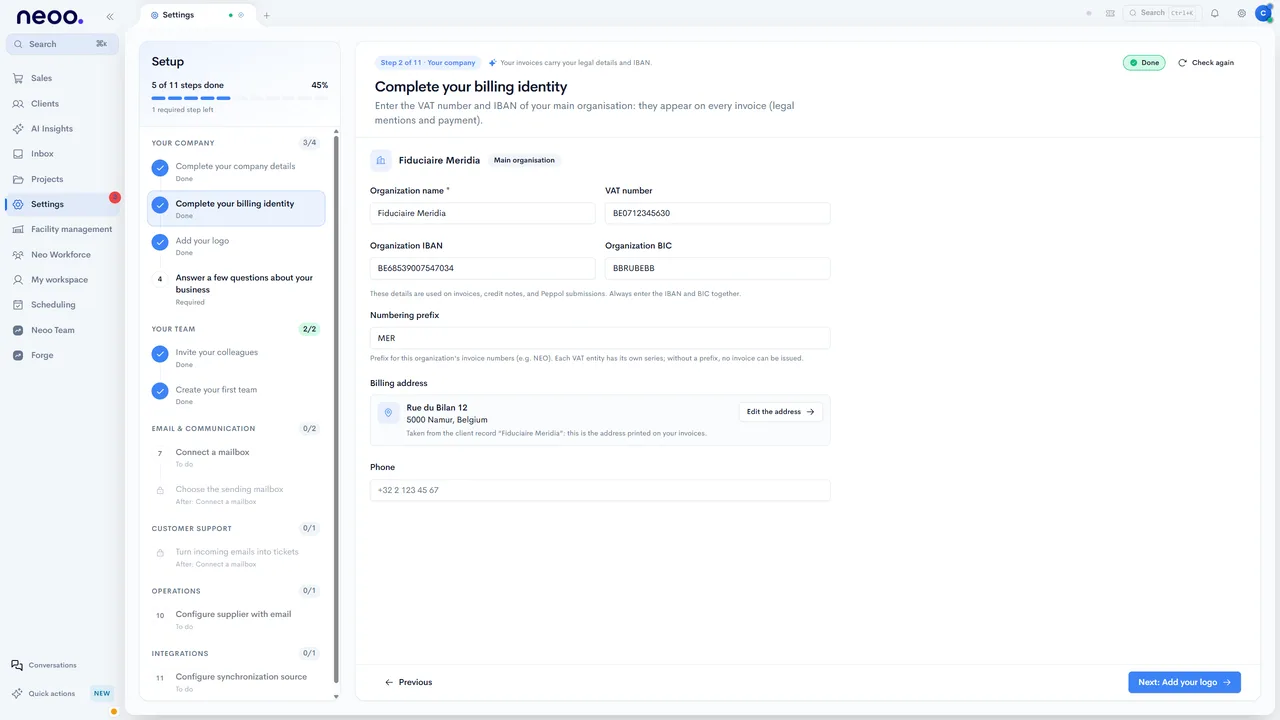
Once you sign in, Neoo guides you step by step. The film shows what follows as an accounting firm lives it: click a step to watch it.
Frequently asked questions
No. The card is saved by Stripe and nothing is charged when you sign up. The starting offer and its terms are shown at step 3, before the card; current prices are published on the Pricing page.
A few minutes to sign up. The setup then happens in your workspace, guided step by step.
Continue with its name: you fill in the details by hand at the next step, like the firm in the film.
Yes. From your workspace you invite your colleagues and choose their role; their accounts wait for their first sign-in.
It shows Neoo’s English interface, with English narration; French and Dutch captions are available. In Neoo, everyone chooses the language of their own profile.
Book a 30-minute demo: we start from your tools and your priorities, then help you get started.
Ready?
Keep your company name, your business email and a card at hand. Nothing is charged today.
Not ready yet? Watch the videos or book a demo.